
What is CMMS Software? Definition, Benefits, How it Works
A Computerized Maintenance Management System (CMMS) is a software solution that helps businesses plan, track, and manage maintenance operations more effectively. It automates work orders, monitors asset performance, and streamlines maintenance workflows, whether you manage one facility or hundreds.
By switching to a cloud-based CMMS, maintenance teams can reduce downtime, extend equipment lifespan, and make data-driven decisions that improve overall productivity.
What Is a CMMS?
A CMMS replaces outdated tools like spreadsheets and paper logs with one centralized digital system. It allows teams to manage maintenance requests, track asset history, and schedule preventive maintenance, all in real time.
To understand how preventive strategies work, check out our Preventive Maintenance Plan Guide for 2025 for a step-by-step breakdown.
How Does a CMMS Work?
A CMMS collects and organizes maintenance data, such as:
-
Equipment and asset details
-
Maintenance schedules
-
Technician assignments
-
Spare parts inventory
It automates work order creation, sends reminders, and generates performance reports, helping maintenance managers make better decisions.
You can also explore our review of Maintenance Connection to see how modern CMMS systems manage maintenance operations in real time.
Core Features of Modern CMMS Tools
-
-
Work Order Management
-
Preventive Maintenance Scheduling
-
Asset Lifecycle Tracking
-
Inventory & Parts Control
-
Mobile Access
-
Custom Reports & Dashboards
To dig deeper into advanced CMMS features, check out What is CMMS Asset Management & Key Functionalities for an in-depth look at how CMMS tools work together.
-

Benefits of CMMS Software
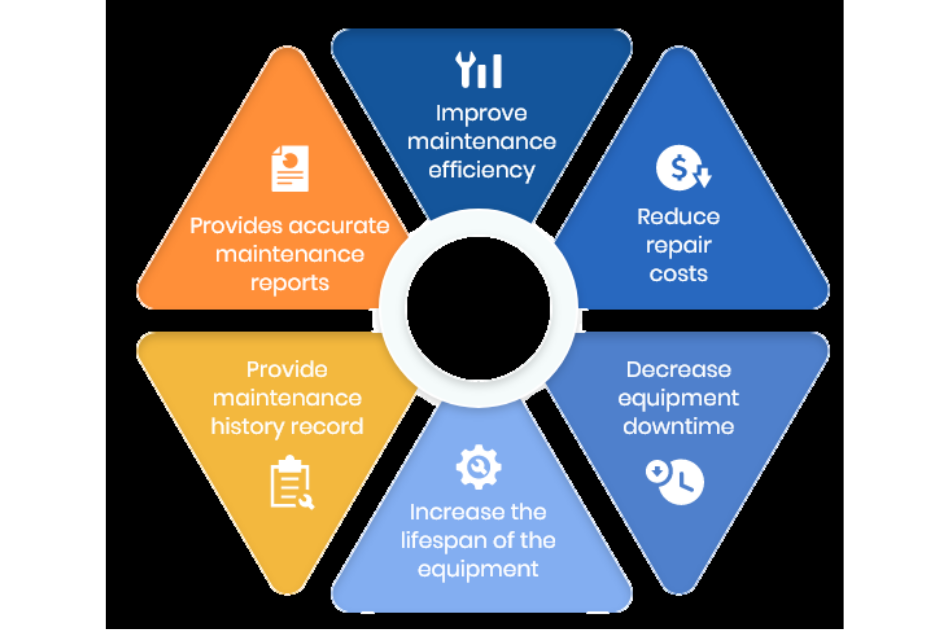
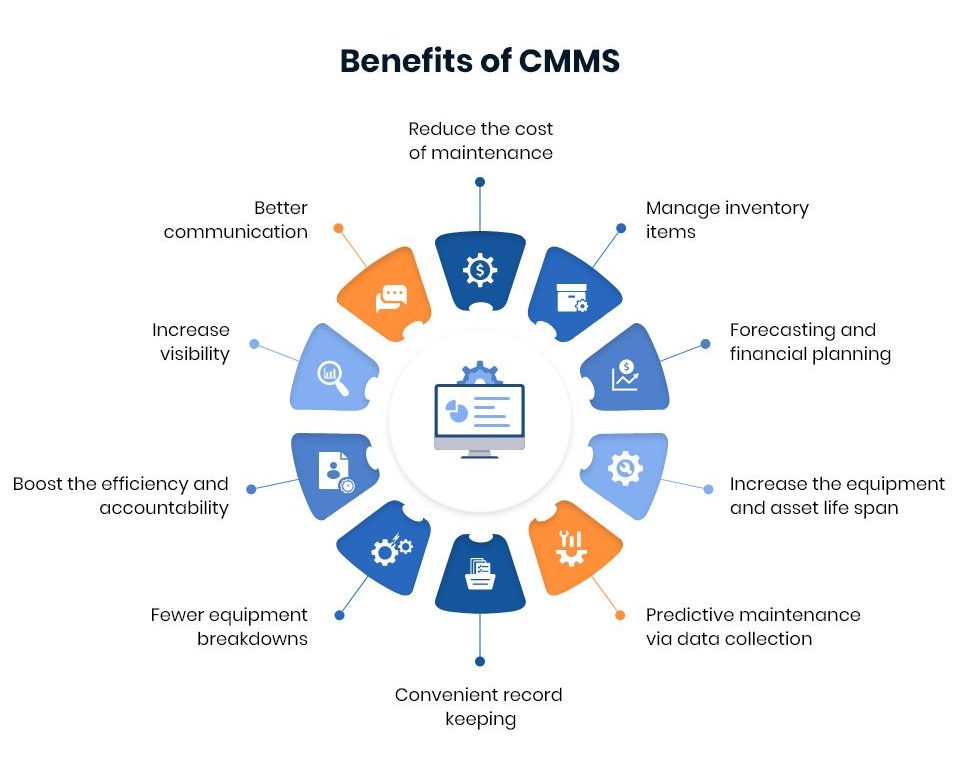
- Improve asset performance
- Reduce downtime with condition-based and preventive maintenance
- Centralize maintenance tasks and work requests
- Access real-time performance insights
- Streamline compliance and reporting
To see how CMMS benefits real facilities, visit our post on CMMS in Facilities Management 2025.
A CMMS also plays a big role in healthcare and critical environments. Learn how it supports hospitals and clinics in What is a Healthcare CMMS and How Does It Work.
CMMS vs. EAM: What's the Difference?
While CMMS focuses on maintenance operations, Enterprise Asset Management (EAM) covers the entire asset lifecycle — from purchase to disposal.
- CMMS : Specializes in day-to-day maintenance operations.
- EAM : Covers the entire asset lifecycle, from acquisition to disposal.
To understand this distinction better, read our complete guide on Enterprise Asset Management.
Who Should Use CMMS?
CMMS software is ideal for industries like:
-
Manufacturing
-
Facilities Management
-
Healthcare
-
Food & Beverage
-
Utilities & Energy
-
Construction
-
Fleet Management
To understand performance metrics for these sectors, explore our article on CMMS KPIs & How to Track Key Metrics.
Choosing the Right CMMS
When selecting a CMMS, look for features that align with your maintenance goals:
-
Cloud-based, mobile-friendly platform
-
Easy-to-use interface
-
Customizable workflows & alerts
-
IoT and ERP integration
-
Reliable customer support
A modern CMMS also integrates with help desk tools for smarter communication. Learn more in Help Desk Solution in CMMS: Smarter Facility Management 2025.
If your focus is on maintenance planning, check out Maintenance Scheduling Software: A Complete Guide to see how scheduling improves reliability.
Final Thoughts
A CMMS is more than just maintenance software — it’s a foundation for efficient, data-driven operations. It helps organizations save time, reduce costs, and keep assets performing at their best.
🟢 At IDS Tech, we help businesses choose and implement the right CMMS software tailored to their workflows, goals, and facility size.
Ready to Get Started?
Let Integrated Design Solutions (IDS Tech) help you implement a powerful CMMS solution tailored to your business needs.
Frequently Asked CMMS Software Questions (FAQ)
Industries Using CMMS Solutions
Organizations seeking to manage assets and facilities more effectively use Computerized Maintenance Management System (CMMS) solutions. Users are found in a variety of industries, including manufacturing, retail, healthcare, oil and gas, utilities, education, and business.
Common Use Cases for CMMS
A CMMS can help with five different use cases in various industries: linear asset maintenance, facility maintenance, production and manufacturing maintenance, field services maintenance, and fleet maintenance.
Why CMMS Is Most Useful
It is most useful for those who have struggled with common asset and facility maintenance issues, such as unplanned asset downtime, costly reactive maintenance practices, difficulty scheduling preventive maintenance, poor visibility into asset health, and limited transparency into big-picture historical and real-time data.
A dedicated Computerized Maintenance Management System (CMMS) administrator oversees the implementation and maintenance of a CMMS solution. A CMMS is a complex tool. It needs data development and management. It also requires managing metrics and ongoing compliance. Regular upgrades are important too. You must develop and manage reports. Employee training is also necessary.
Risks of Not Having a CMMS Administrator
If current employees handle these tasks, it can cause inconsistent data and harm system integrity. This may also lead to reactive maintenance practices. Having a CMMS administrator helps organizations use a CMMS better. This increases employee adoption and makes data clearer.
The cost of CMMS software can change based on your business size and the features you need. You can get an accurate quote by contacting us directly. That said, general pricing includes:
Common Cost Components
- Implementation cost, though there is no up-front cost with a cloud deployment.
- Licensing/subscription costs.
- Maintenance costs, which are included as part of the Maintenance Connection annual support agreement.
- Customization costs based on functional requirements and add-ons.
Value and ROI of CMMS
If you pick the right CMMS, the savings and ROI from better productivity and lower costs will make it a good investment.
Ongoing Recurring Costs
Recurring and renewal costs, which include the monthly subscription fee, pricing plan, customization cost and training services.
CMMS training refers to both immediate and ongoing training services offered by your CMMS vendor. Comprehensive training is absolutely necessary to streamline implementation and to ensure that your team makes the most out of your CMMS tool. The right partner will offer a range of training materials, including training videos and modules, articles, demos and free trials.
At Accruent, this kind of training is included in the IDS Academy Learning Center. The Accruent Academy continuous training resources are there to help your team drive adoption, maximize ROI and meet compliance regulations.
Systems a CMMS Can Replace
A CMMS software can replace many antiquated or manual business systems, including but not limited to:
- Excel spreadsheets
- Emails
- Phone records
- Pen and paper documents
- Stand-alone technology
- Asset documentation, including video and images like repair manuals, warranties and safety information
- Manual work orders
Uptime is critically important when it comes to facility and asset maintenance because high uptime means effective operations, maximized efficiency and substantial revenue. A good CMMS or EAM system, also called a preventive management system, can boost uptime. It gives you the tools to use effective preventive maintenance strategies.
Benefits of High Uptime
This can not only help you achieve reliable uptime, but also allow you to:
- Effectively fill orders.
- Maximize your revenue.
- Meet customer expectations.
- Extend your asset lifecycle.
- Increase employee satisfaction.
When selecting a CMMS software for your organization, consider your business's unique needs. Think about functionality, IT capabilities, and your overall technology systems. Most centrally, you should consider:
- Adoption and your company culture: For a CMMS to work, you team members must use it consistently and properly. This is often a challenge in the face of stagnant company culture, legacy systems and the “old way” of doing things. To tackle this challenge, pick a CMMS with features and a user interface that your team likes. Also, provide ongoing training.
Your organization's processes:
If you do not standardize your preventive maintenance processes and policies, your software implementation might fail.
Make sure that roles, expectations, and processes for work orders and approvals are clear and standard. This will help avoid confusion.- Financial constraints: There are many costs linked to preventive maintenance software. These include the cost of implementation, upgrades, and hiring staff or experts. Think about your budget and how much you can spend. Make sure you choose software that you can afford.
- Your data sources and integrity: For your CMMS to work well, all the data must be accurate and fully connected. Be sure you have the processes, integrations and training to make this possible.
Two types of CMMS (Computerized Maintenance Management System) are:
On-Premises CMMS: This type involves hosting the CMMS software locally within an organization's infrastructure. It is installed and maintained on the organization's own servers or hardware.
Cloud-Based CMMS: This type is also called web-based or SaaS (Software as a Service) CMMS. It is hosted and maintained by a third-party provider in the cloud. Users access the CMMS through a web browser.
Accruent’s CMMS Maintenance Connection Software offers both deployment options.